If you're spending the same budget, a study/work tablet is usually the better "value" when it supports a keyboard, reliable file handling, and stable multitasking. A media/gaming tablet is the better buy when its display, speakers, and sustained graphics performance matter more than typing comfort. Choose based on your primary persona, not brand.
Essential trade-offs between study/work and media/gaming use
- Productivity-first favors consistent multitasking, better input accessories, and long-term software support; entertainment-first favors screen quality, speaker tuning, and stable GPU performance.
- RAM and storage matter more for coursework files and work apps; display and thermals matter more for long streaming or gaming sessions.
- Stylus latency and palm rejection help note-taking; refresh rate and touch sampling help fast games.
- File management and external display are key for work; HDR support and widevine/DRM behavior are key for video apps.
- Accessory cost can erase "cheap tablet" savings; bundle value (pen/keyboard included) can decide the winner.
- Software ecosystem determines your best apps for PDFs, Office, editing, and games more than raw specs.
Performance and Productivity: CPUs, RAM, and real multitasking
- CPU class (midrange vs flagship): prioritize higher sustained performance for spreadsheet-heavy work, video calls plus documents, and light editing; media-only users can accept midrange if the display is strong.
- RAM capacity: aim for "enough headroom" so switching between browser, classroom app, and PDF doesn't reload tabs; gamers need RAM mainly to prevent background app reloads.
- Storage type and capacity: faster storage reduces app load times and helps large files; check whether you can expand storage with a card if you keep offline videos or course libraries.
- Thermal design and sustained clocks: a thin tablet may benchmark well but throttle during long meetings, exports, or extended gaming-sustained performance is what you feel.
- Multitasking features: split-screen, floating windows, and app pair/shortcuts matter for work; confirm they're stable in your OS version.
- External display support: for "laptop-like" use, check whether it mirrors only or supports a real desktop-style extended workspace.
- Network stability: for online learning and cloud work, prioritize reliable Wi‑Fi performance and good antenna behavior in landscape mode.
- Video-call pipeline: echo cancellation, mic quality, and camera consistency affect remote classes more than raw megapixels.
Persona shortcut: Students searching "แท็บเล็ตเรียนออนไลน์ รุ่นไหนดี" should bias toward stable multitasking and good note apps; professionals searching "แท็บเล็ตทำงาน รุ่นไหนดี" should bias toward external display + keyboard workflow; streamers/gamers searching "แท็บเล็ตดูหนังเล่นเกม รุ่นไหนดี" should bias toward sustained GPU and screen/speakers.
Display and Audio: Ideal panels and sound for reading, editing, and watching
| Variant | Who it fits | Pros | Cons | When to choose |
|---|---|---|---|---|
| High-refresh LCD with strong brightness | Mobile gamer, casual viewer in bright cafés | Smoother scrolling and touch feel; typically better outdoor readability | Black levels and contrast usually weaker than OLED | If you value motion clarity for games and fast UI over perfect blacks |
| OLED / AMOLED panel | Movie-first buyer, night viewing | Deep blacks; strong perceived contrast for films | Some panels can show PWM/flicker sensitivity; burn-in risk depends on usage | If movies/series are your main use and you watch in dim rooms |
| Standard LCD tuned for accurate color | Student, light creator, reading-first | More predictable whites for documents; often easier on eyes for long PDFs | Less "pop" for movies; refresh rate may be standard | If your day is mostly documents, slides, and note-taking |
| Quad-speaker emphasis (landscape stereo) | Casual viewer, family sharing | Louder, clearer dialogue; better spatial separation without headphones | Can add weight; placement can be blocked by hands in gaming | If you often watch without earbuds and care about dialogue clarity |
| Headphone-first / codec-friendly setup | Commuter, office worker, late-night gamer | Better experience with Bluetooth codec support and low-latency tuning | Speakers may be only average | If you mostly listen on headphones and need stable low-latency audio |
Persona shortcut: For students, prioritize readable whites and anti-glare behavior; for professionals, prioritize consistent color and comfortable text scaling; for casual viewers, prioritize speakers + contrast; for mobile gamers, prioritize high refresh and stable touch response.
Battery Life and Portability: Balancing all-day work with long media sessions
- If you take video calls plus notes, then prioritize efficient chipsets and good standby behavior over the biggest screen.
- If you commute and watch downloads, then prioritize a lighter chassis and predictable idle drain (so it's not dead after a day in a bag).
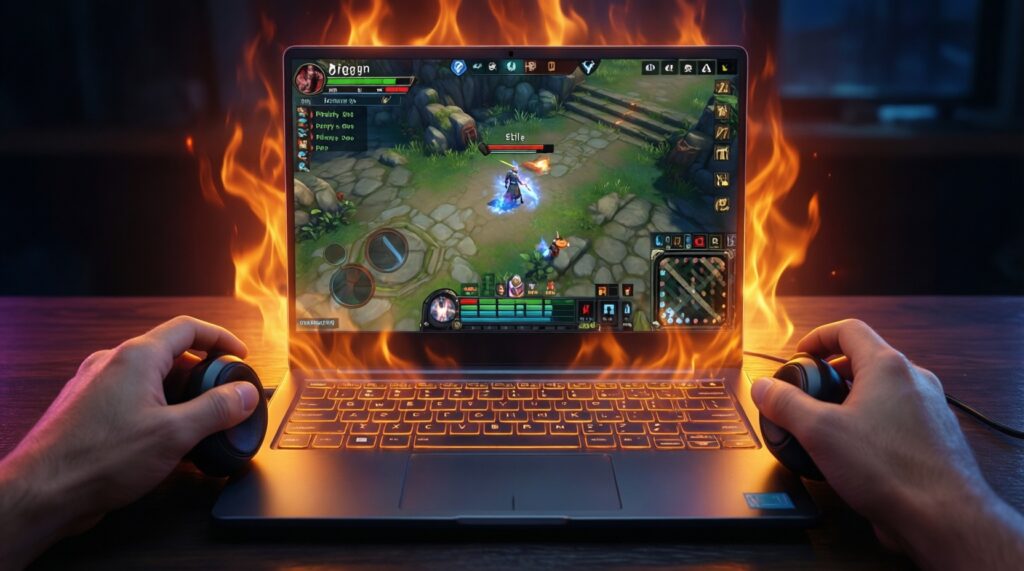
- If you game for long sessions, then prioritize a tablet that stays cool enough to avoid throttling; hotter devices waste power and lose frame stability.
- If you use a keyboard case often, then prioritize hinge stability and lap usability; a "portable" tablet that wobbles becomes frustrating fast.
- If you rely on quick top-ups between classes, then prioritize charging reliability and a charger you can actually carry daily.
Accessories & Software Ecosystem: Keyboards, stylus, docks and app compatibility
- Decide your primary input: pen-first (notes/art), keyboard-first (docs/email), or touch-first (media/games).
- Verify accessory availability in Thailand: official keyboard case, compatible stylus, and local warranty handling.
- Check palm rejection and note app quality: handwriting search, PDF markup, cloud sync, and export formats.
- Confirm external display behavior: mirror-only vs desktop-like mode, plus whether your apps scale correctly.
- Validate file workflow: USB‑C storage support, cloud drives, and whether your office suite handles formatting well.
- Review app/game compatibility: your must-have apps, controllers, and streaming services should run at expected quality.
- Price the full kit: tablet + case/keyboard + stylus + charger/USB hub; this is where "เปรียบเทียบแท็บเล็ต รุ่นไหนคุ้มสุด" becomes clear.
Gaming and Multimedia Power: GPUs, refresh rate, thermals and sustained frame rates
- Buying based on peak benchmark scores instead of sustained performance under heat.
- Ignoring storage speed: big games and frequent updates feel worse on slower storage.
- Assuming "high refresh" guarantees smooth gaming even when the GPU can't sustain it.
- Overlooking speaker placement: your hands can block speakers in landscape gaming.
- Not checking controller support and input latency for your favorite titles.
- Chasing the biggest screen without considering weight and hand fatigue for long sessions.
- Forgetting that some video apps depend on DRM levels; screen quality alone won't ensure HD playback.
- Skipping OS update history: poor long-term support can affect game compatibility and security.
Value Comparison Matrix: Side-by-side scenarios for the same budget
For a student on a tight cap (including people asking "แท็บเล็ตงบ 10000 รุ่นไหนดี"), the best value is usually a midrange Android tablet that has a widely available pen/keyboard ecosystem and stable split-screen. For professionals, a tablet line with strong external display support and first-party keyboard options is the safer "work tool" pick. For casual viewers, prioritize OLED or strong speakers. For mobile gamers, prioritize sustained performance and high-refresh LCD/OLED-whichever stays cooler in long sessions.
Buyer dilemmas resolved - quick practical answers
Should I prioritize RAM or display quality if I do both study and Netflix?
Prioritize RAM if you constantly switch between apps (PDF, browser, chat). Prioritize display if you mostly consume video after class and your study apps are lightweight.
Is a keyboard case essential for work?
It's essential if you write long emails, reports, or spreadsheets weekly. If you mostly annotate PDFs and join calls, a good stylus matters more.
Will a media-focused tablet be "bad" for online learning?
Not necessarily, but you'll feel limitations in multitasking, file handling, and accessory quality. Confirm split-screen stability and note app support before buying.
How do I avoid buying a tablet that throttles in games?
Look for consistent performance in long sessions: stable frame pacing, manageable heat, and a chipset known for efficiency. Avoid ultra-thin designs if gaming is your main use.
Do I need OLED for movies?
No-strong brightness and decent speakers can matter more in bright rooms. OLED becomes most valuable for dark-room viewing and contrast-heavy content.
What's the simplest way to decide "รุ่นไหนคุ้มสุด" in the same budget?
Price the full setup you'll actually use (pen/keyboard/charger/hub). Then pick the device that meets your primary persona's non-negotiables first, not the one with the best-looking spec sheet.